


XROO coupons are issued through events, promotions, and partnerships. By registering a coupon, you can use XROO for free for a limited period.
This guide explains how to register and use your coupon.
1. Registering a Coupon
•
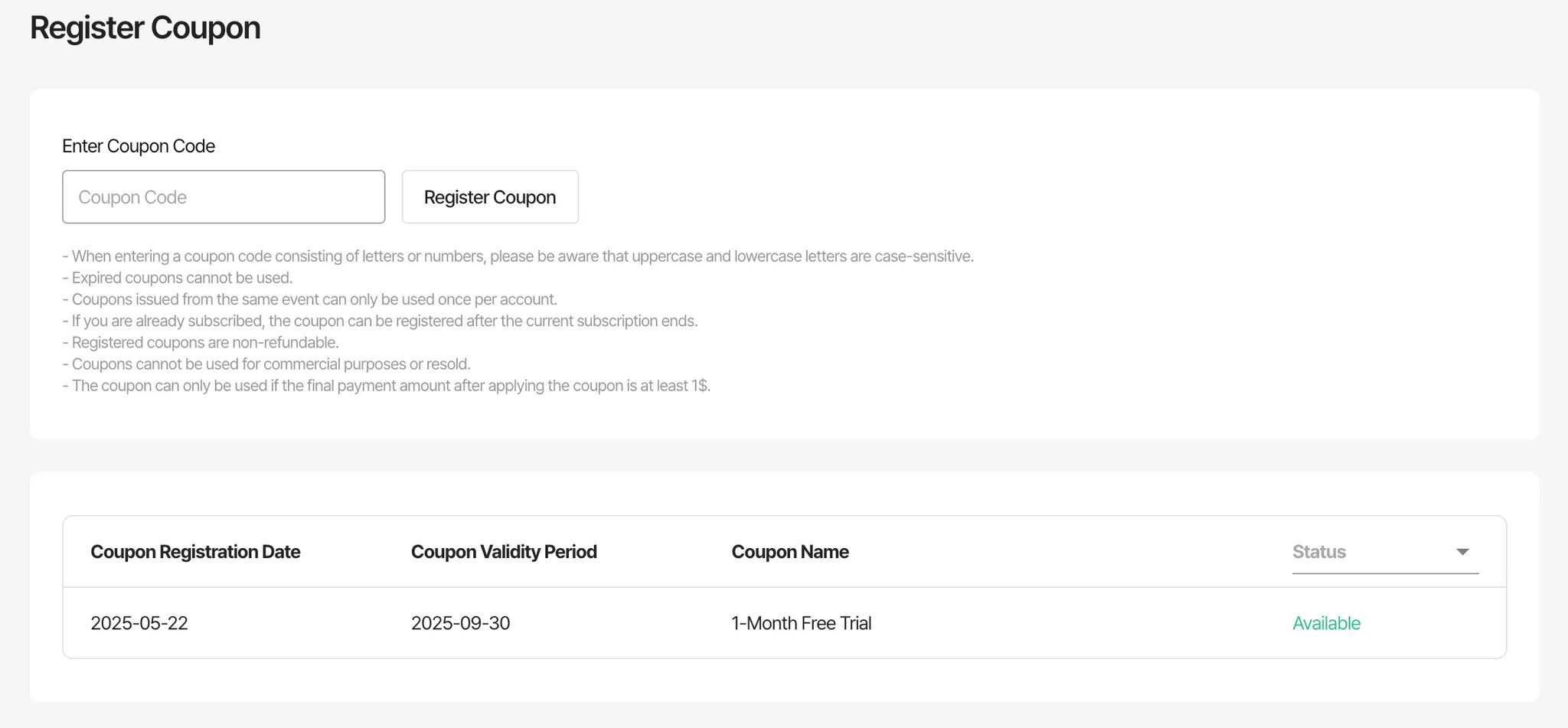
Coupons must be registered before they can be used.
Go to [Settings > Register Coupon] and enter your coupon code.
•
Coupons must be registered within their validity period.
Expired coupons cannot be used.
•
Coupons are only valid for subscription-based plans.
◦
You must link a valid PayPal account to use a coupon.
◦
Once registered, the subscription will be activated for free during the coupon period, and no charges will be made until the coupon expires.
2. Using a Coupon
•
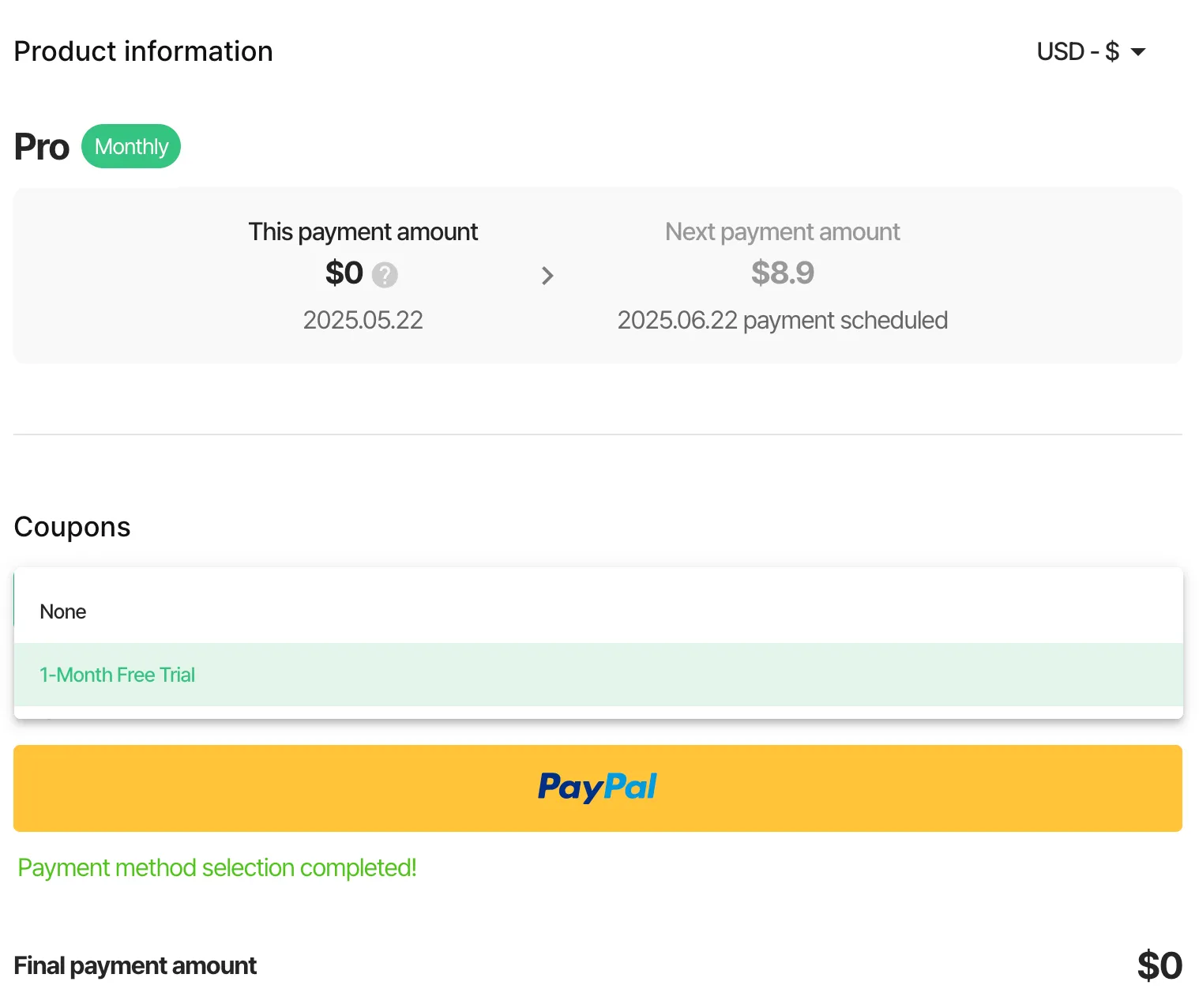
Go to the Subscription Plans page.
◦
On the checkout screen, select your registered coupon, and the discount or free offer will be applied automatically.
◦
XROO operates on a subscription (recurring payment) model.
◦
After linking your PayPal account, click "Pay" to complete your purchase with the coupon applied.
◦
If you do not wish to be charged for the next month, go to [Settings > Subscription Management] after payment and click "Cancel Subscription".
◦
Once canceled, no automatic charges will occur on the next billing date.
3. Important Notes
•
Coupons can only be used with subscription plans.
Some products may be excluded from coupon use.
•
Each coupon can only be used once.
Coupons are non-refundable and cannot be canceled after registration.
•
After registering a coupon, you can check its status under [Settings > Register Coupon].